F-Register CRM for installation companies

The CRM for installation companies, from solo technician to large installer, that need reliable work orders, planning, F-gas records, cooling systems, heat pumps, combustion appliances and maintenance.

  • For solo technicians, service companies and organisations with multiple field teams
  • Mobile-friendly for work orders, photos, signatures and planning
  • Audit-oriented for BRL100, BRL 6000-25/K25000 and future modules
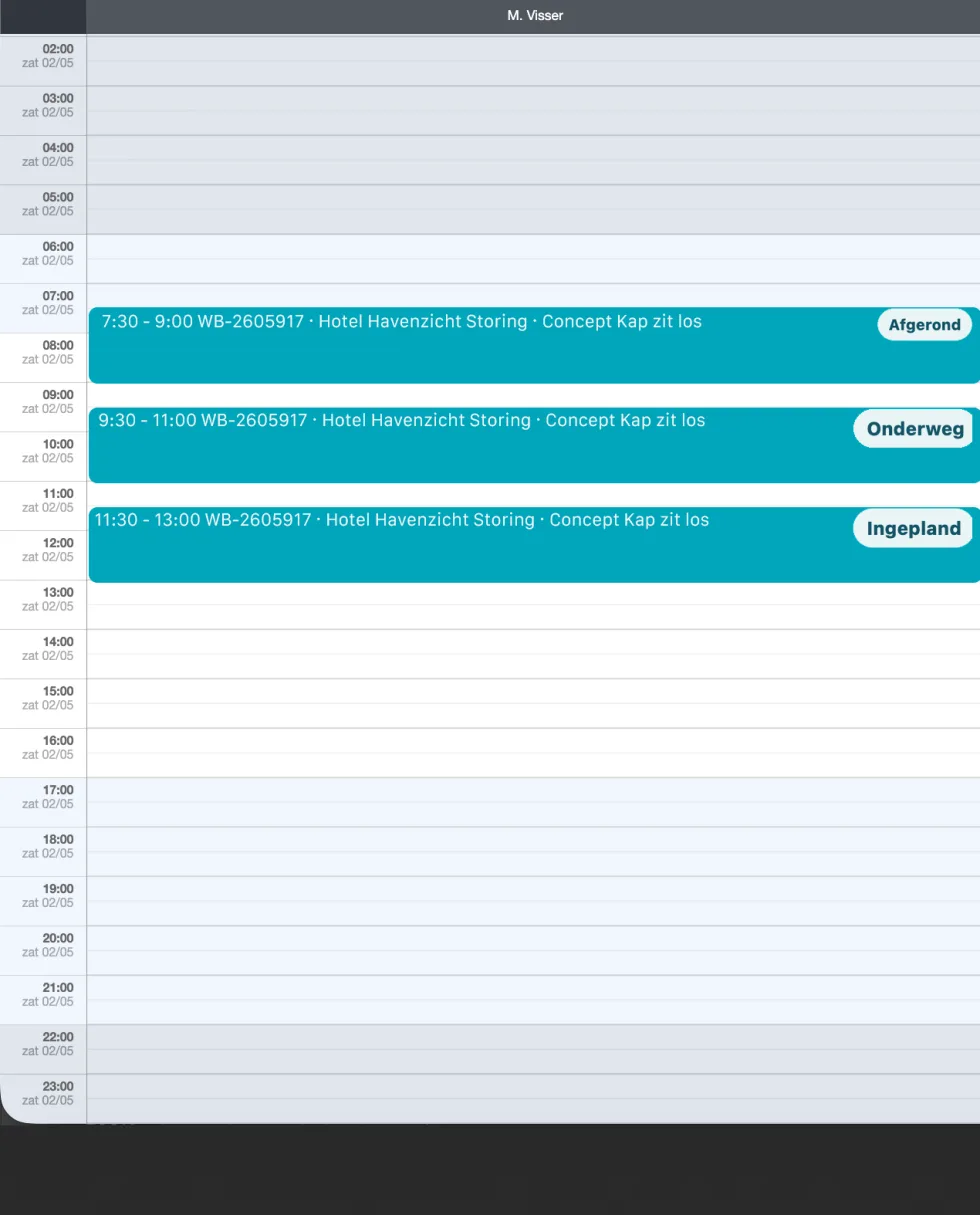
F-Register planning overview
Day planning, work orders and status in one overview.
CRM customers, sites and installations
Planning queue, day/week/month and maintenance rounds
Audit reports, logbooks and evidence

The platform

CRM for installation companies: one system for the office, planner, technician and customer.

F-Register is CRM for installation companies that need speed during daily work and complete administration afterwards. Customers, sites, installations, work orders, photos, refrigerants, tools, certificates and reports stay connected.

The system is suitable for solo technicians, small installation companies and larger service organisations with planning, administration and multiple technicians. F-Register combines work order software, planning for installers, maintenance planning, F-gas records and audit software in one platform.

CRM for installation companies

Manage customers, contact details, installation addresses, vehicles and installations in one logical structure.

Work orders and planning

Create work orders from a customer, site, installation or ad hoc in the field. Plan by technician, day, week or month.

Documents and media

Store photos, manuals, reports, measurement documents and audit evidence with the customer, installation or work order.

Compliance without loose spreadsheets

Audit data is captured in the workflow: refrigerants, leakage loss, tools, certificates and reports.

Daily work

From customer request to work order, report and audit trail.

F-Register brings CRM for installation companies, installation management, planning, work orders, materials, photos, signatures and reporting together. The technician works on mobile in the field while the office keeps control of planning, documents, F-gas records and compliance.

  • New customer → site → installation → indoor units → work order
  • Draft work orders remain in the queue until they are planned
  • Technicians see day planning, colleagues, navigation and status buttons
  • Customer portal for details, installations, work orders, documents and service tickets
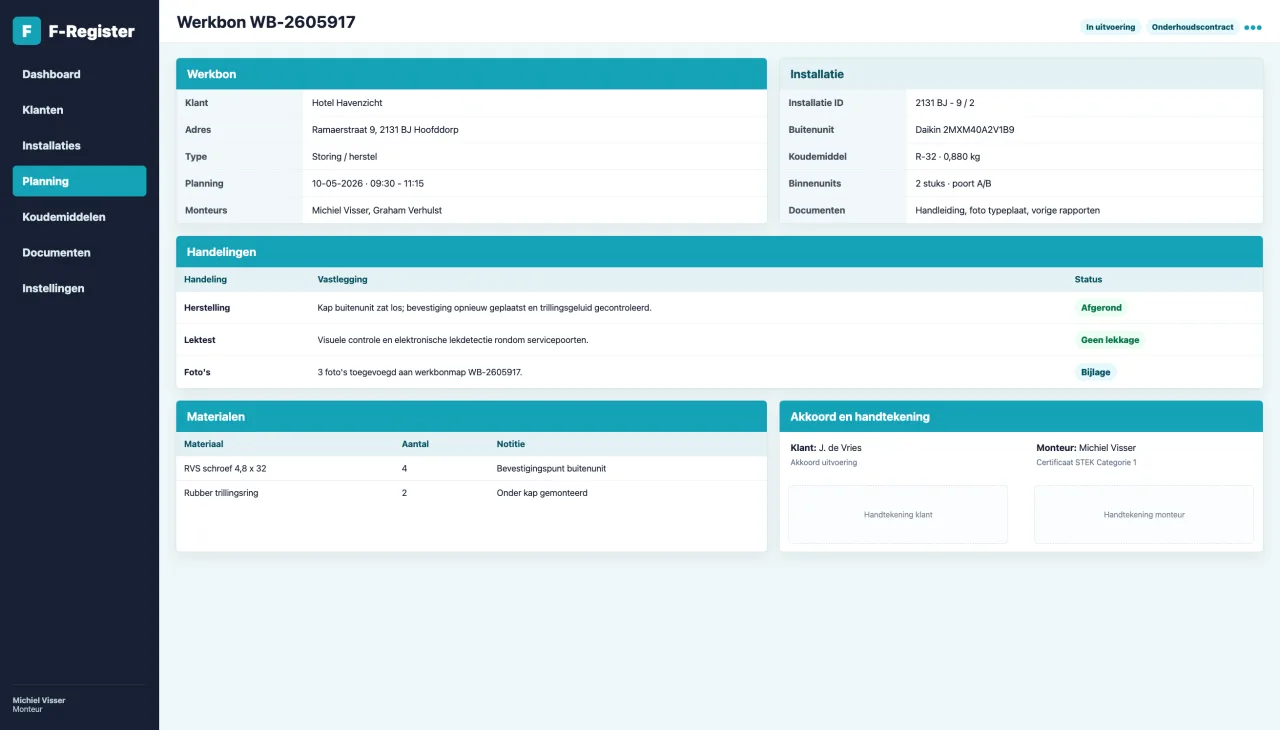
Technician work order
Work orders are completed on mobile with actions, materials, photos and signatures.
Work order report example
Reports are generated from the completed work order data.

Domains

Built for HVAC/R, heat pumps, hybrid systems and combustion.

F-Register is modular. An installation company only uses the active domains, while CRM, work orders, planning, documents and user management remain consistent.

Cooling and air conditioning

For split AC, multisplit, VRF and process cooling with F-gas records.

  • Outdoor units, indoor units and installation details
  • Refrigerant, GWP, content and leakage loss
  • Commissioning, maintenance, charging, recovery and dismantling
View cooling

Split heat pumps

For air-to-air and air-to-water heat pumps with indoor and outdoor units.

  • Serial numbers, ports, indoor units and documentation
  • Commissioning with circuit measurements and report
  • Maintenance contract, warranty and maintenance history
View heat pumps

Hybrid heat pumps

Link heat pump and combustion appliance at the same site.

  • Heat pump and boiler as a linked system
  • Cooling and combustion work orders side by side
  • Customer portal shows the complete hybrid system
View hybrid

Combustion appliances

For boilers, flue systems, CO checks and BRL 6000-25/K25000.

  • Appliance type, power, fuel, open/closed and serial number
  • Flue material, gas measurements, CO/CO2/O2 and inspection label
  • Dedicated audit documents, handbook and work instructions
View combustion

HVAC/R and air conditioning

All functionality for cooling systems and air conditioning.

Register installations from outdoor unit to indoor unit, including refrigerant, charge, documents, QR nameplate and work order history.

Functionality

  • Outdoor unit types, indoor unit types and manuals
  • Installation number, nameplate, refrigerant, GWP, charge and classification
  • Work order actions for maintenance, repair, charging, recovery, dismantling and commissioning
  • Public QR page without customer data, including logbook-level work history

In the field

  • Upload photos and documents on the work order
  • Take/return refrigerant cylinders and verify cylinder contents
  • Customer and technician signatures on mobile
  • Reports and commissioning reports generated automatically
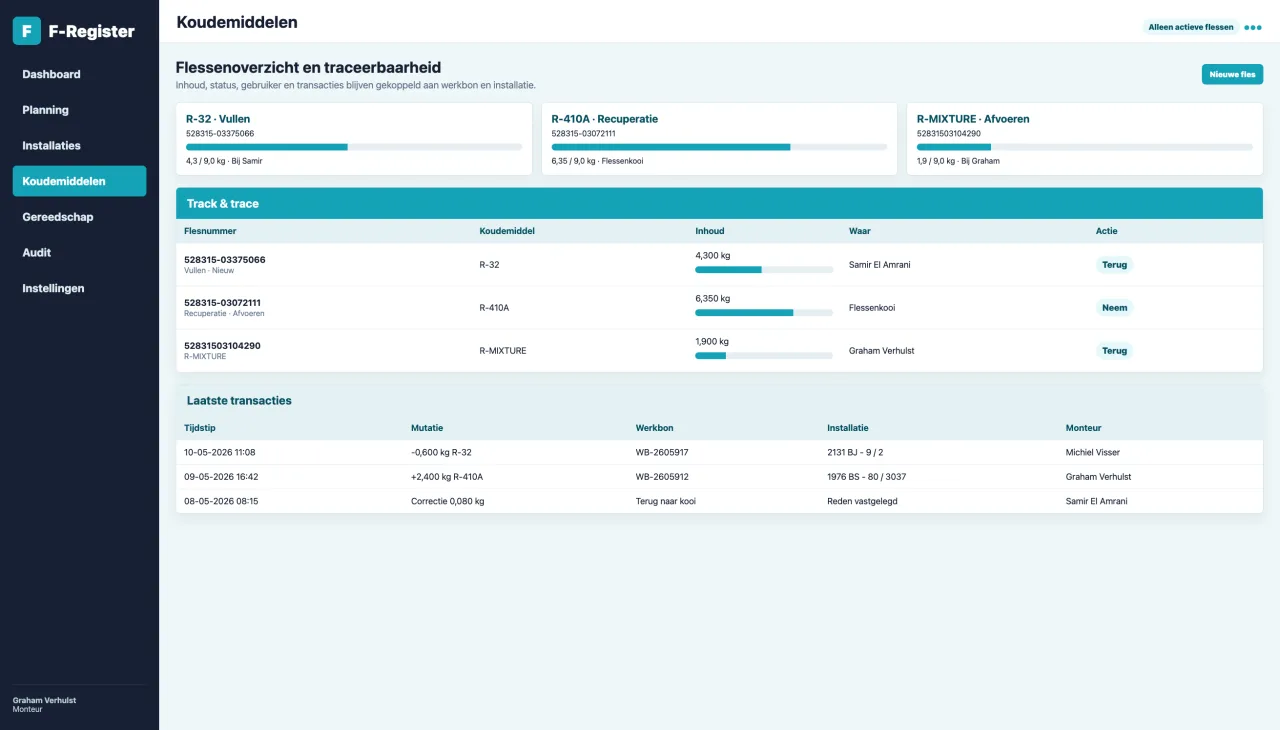
Refrigerants and installations in F-Register
Refrigerant management is linked to cylinders, installations and work orders.

Split heat pumps

Split heat pumps with complete installation and service history.

Heat pumps use the same technical foundation, with extra focus on ports, indoor units, commissioning and maintenance.

Functionality

  • Indoor unit per room with type, serial number, location and port
  • Warranty and maintenance contract linked to handover
  • Commissioning report with circuits, pressure test, vacuum and document control
  • Installation documents and manuals visible in work order and customer portal

In the field

  • Create a new installation from an ad hoc work order
  • Convert a survey work order into one or multiple installations
  • Store installation photos, type plates and reports per work order
  • Technician sees maintenance contract status at the top of the work order
Heat pump work order report
Completed actions are automatically processed in reports.

Hybrid systems

Hybrid heat pump and combustion appliance as one logical system.

When both modules are active, the combustion appliance can be linked to the heat pump at the same site.

Functionality

  • Link between heat pump and boiler
  • Work orders can be cooling, combustion or combined
  • Customer portal only shows relevant modules and installations
  • Planning displays work orders independent of module type

In the field

  • Technician sees which systems are present at the same site
  • Installation details can be updated from the work order
  • Reporting separates cooling and combustion sections
  • Suitable for service companies that deliver both domains
Work order with linked installation details
A work order can be created for customer, site, cooling installation, boiler or combination.

Combustion appliances

Functionality for boilers, flue systems and CO checks.

The combustion module records appliances, flue systems, CO measurements, maintenance, inspections and BRL 6000-25/K25000 audit documents.

Functionality

  • Brand, type, serial number, nominal power, input and domestic hot water power
  • Fuel, open/closed appliance, flue type and flue material
  • Boiler commissioning, maintenance/CO check and flue inspection
  • Inspection label, report/PDF and dedicated audit documents

In the field

  • Update boiler details from the work order
  • Record CO, CO2, O2, gas supply pressure and burner pressure
  • Record gasket and safety checks
  • Email and store reports with the installation
Planning for combustion appliances
Combustion appliances use the same planning, queue and customer structure.

Maintenance

Schedule maintenance without endless calls.

Maintenance starts in the queue. Planning selects a postcode area and date range, customers with a maintenance contract receive an invitation, and the customer reserves an available time slot.

1

Select area

Planning chooses postcode area, date range and available technicians.

2

Invite customers

Customers with a maintenance contract receive an email with a link to available time slots.

3

Customer books

The customer selects a time slot. Changes afterwards go through planning.

4

Into the queue

Reserved maintenance appointments become work orders in the queue.

5

Plan and complete

Planning assigns the work order; the technician completes maintenance and gets a signature.

Planning overview with work orders
Planning with queue, technicians, day planning and status.
Refrigerant overview
Cylinders, fill levels, status and transactions stay linked to the audit trail.

Manual

Reference per setting and domain.

The extended manual is the permanent reference page for admins, planners and technicians. For now it explains settings and workflows for cooling installations, comfort/process systems, heat pumps and combustion appliances.

Open the manual
Example video: setting up company details and base settings.
Branding settings
Branding, logo and company details are used in reports and labels.

Security

Designed for customer data, reports and audit evidence.

F-Register runs on modern Laravel technology with roles, separated customer environments, password policy, support mode and monitored updates. The roadmap includes backups in two locations: own server and StorJ/S3.

Roles and permissions

Admin, planning, technician and customer have separated access. Technicians manage their own account and signature.

Monitor and updates

Versions, modules, support mode and remote updates are managed centrally from the monitor.

Documents and storage limit

Documents, reports, photos, certificates and manuals are stored in structure with storage insight.

GDPR

Customer portal, privacy links, export/delete process, processor agreement and breach procedure are part of the base.

Audit-ready

Audit software where evidence is created while the work is done.

Work orders, refrigerant mutations, F-gas records, tools, certificates, documents and reports are linked to the right customer, site and installation.

Knowledge base

Practical articles for audit, refrigerants and maintenance.

Use these pages as shareable references for colleagues, customers, auditors and partners.

Creating an F-gas balance

Refrigerant stock, use, recovery, disposal and CO2-equivalent in one practical overview.

Read more

BRL100 audit checklist

A checklist for installation data, work orders, refrigerants, tools and documents.

Read more

Calculating leakage loss

Explanation of relative leakage loss and how leak top-ups are recorded.

Read more

Ready to make administration and maintenance calmer?

Request a demo and see how F-Register fits your company, from solo technician to service organisation with planners and multiple technicians.

Request demo